The best apps for China travel are the apps that help you get online, pay, navigate, translate, call a ride, book trains, contact hotels and handle local services after landing. China is mobile-first, so setting up the right apps before departure can make the difference between a smooth arrival and a stressful first day.
This guide explains the essential apps for China by travel task, not by hype. You do not need every app. You need the right stack for your trip.
Last updated: July 7, 2026. App availability, payment flows and account verification can change, so check the official app pages before departure.
Best apps for China travel: the short answer
For most first-time visitors, prepare these apps before China:
- WeChat for messaging, local contact, mini programs and WeChat Pay.
- Alipay for payments, local services, ride-hailing access and travel tools.
- A China-ready map app such as Apple Maps, Amap or Baidu Maps.
- Translation app with offline support if possible.
- eSIM or mobile-data app for internet after landing.
- Ride-hailing access through Didi, Alipay or WeChat.
- 12306 or train-booking platform for high-speed rail.
- Banking and card apps for transaction approvals and fraud alerts.
- Hotel, airline and booking apps for reservations and check-in.
- Authenticator and password manager for account recovery.
Do not wait until landing to download and verify these apps.
Why apps matter so much in China
In mainland China, many everyday travel tasks are app-based or QR-code-based.
You may use apps to:
- pay at restaurants and stores;
- scan restaurant QR menus;
- call a taxi or ride-hailing car;
- find the correct metro exit;
- translate menus and signs;
- contact your hotel;
- book or manage train tickets;
- show booking information;
- communicate with suppliers or fair contacts;
- receive bank verification codes;
- manage your eSIM or mobile data.
If your phone has no data, no payment app and no map app, even a simple airport-to-hotel transfer can become difficult.
Related guide: China eSIM and internet guide
The essential China app stack
1. Internet and eSIM apps
Before anything else, prepare internet access.
Install your eSIM provider app before departure if you plan to use a China eSIM. Keep your home SIM active for SMS verification when possible.
You may need internet for:
- Alipay;
- WeChat;
- maps;
- translation;
- taxi or ride-hailing;
- app login;
- hotel contact;
- payment verification.
Internet guide: China eSIM and internet guide
China eSIM guide: China eSIM guide
2. WeChat
WeChat is one of the most important apps in China.
Use it for:
- messaging hotels, drivers, suppliers and local contacts;
- WeChat Pay where available;
- mini programs;
- restaurant ordering;
- QR-code services;
- business communication;
- Canton Fair supplier contact.
Foreign visitors should set up WeChat before departure because account registration, security checks and phone verification can be harder under airport pressure.
WeChat Pay guide: WeChat Pay in China for foreigners
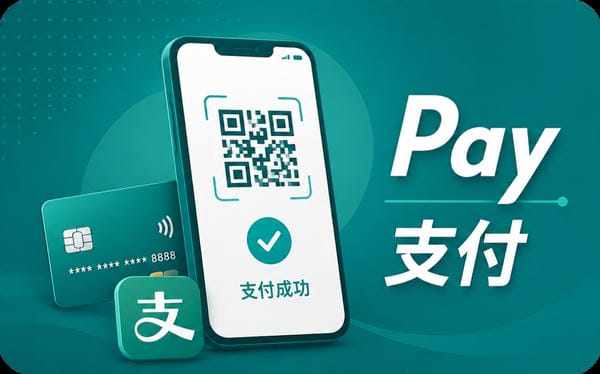
3. Alipay
Alipay is one of the most useful China travel apps for foreign visitors.
Use it for:
- QR payments;
- restaurants and shops;
- taxis and ride-hailing access;
- some transport tools;
- travel services;
- local mini-program-style services.
Set up Alipay before arrival if possible, including card binding and verification if requested.
Alipay guide: Alipay in China for foreigners
Payments guide: Payments in China
4. China map apps
Maps are one of the biggest pain points for first-time visitors.
Prepare at least one China-ready map option:
- Apple Maps;
- Amap / Gaode Maps;
- Baidu Maps;
- hotel or booking app map;
- offline saved addresses.
Google Maps should not be your only China navigation plan. Map data, routing, app access and language experience can be inconsistent for mainland China travel.
Future guide: China map apps for tourists
5. Translation apps in China
A translation app helps with:
- menus;
- signs;
- taxi addresses;
- hotel communication;
- pharmacy visits;
- train stations;
- business meetings;
- supplier conversations.
Prepare at least one app with text, camera and voice translation. Download offline language packs if available.
Future guide: translation apps in China
6. Ride-hailing and taxi apps
Ride-hailing can be easier than street taxis if you do not speak Chinese.
Prepare one of these options:
- Didi app where available;
- Didi through Alipay;
- ride-hailing through WeChat;
- hotel-arranged transport;
- official airport taxi queue as backup.
Do not assume a foreign physical card will work in a taxi. Payment apps and mobile data matter.
Transport payment guide: how to pay for transport in China
Future guide: taxi and ride-hailing in China
7. Train booking apps
For high-speed trains, foreign visitors should understand 12306 and passport-based ticketing.
China Railway’s official English 12306 FAQ says foreign passengers can purchase real-name tickets with valid passports according to related regulations. It also states that passengers can buy e-tickets through 12306.cn or the 12306 mobile app, ticket counters, automatic ticketing machines, or railway ticket agencies. The same FAQ says passengers must show the valid ID document used to buy the ticket to check in and out of stations and board the train.
Practical options:
- 12306 official website or app;
- travel booking platform;
- ticket counter with passport;
- hotel or travel agent help if needed.
Future guide: train booking apps in China
8. Food delivery and local service apps
Food delivery can be useful, but it is not always necessary for first-time tourists.
Common local-service categories include:
- food delivery;
- restaurant reviews;
- queue systems;
- local deals;
- delivery to hotel;
- local errands;
- attraction or activity booking.
Examples may include Meituan, Dianping and Ele.me, but language support, payment methods and phone-number requirements can be difficult for visitors. For short trips, restaurants, hotel staff and simple walk-in meals may be easier than trying to master delivery apps.
Future guide: food delivery apps in China
9. Airline, hotel and booking apps
Install the apps you already use for:
- flights;
- hotel bookings;
- travel insurance;
- airport transfer;
- tours or activities;
- itinerary management.
Save offline:
- hotel name;
- hotel address in Chinese;
- booking confirmation;
- flight details;
- check-in information;
- emergency contacts.
10. Banking, password and authenticator apps
Your banking and account-recovery apps are part of your China travel stack.
Prepare:
- banking app;
- credit-card app;
- authenticator app;
- password manager;
- backup codes;
- home SIM for SMS;
- customer support contacts.
This matters because payment failures in China may be caused by your overseas bank, not the Chinese merchant.
Payment backup guide: China payment backup plan
Apps by traveler type
First-time tourist
Install:
- WeChat;
- Alipay;
- eSIM app;
- map app;
- translation app;
- hotel app;
- banking app;
- ride-hailing access.
Visa-free or transit traveler
Focus on arrival-day essentials:
- eSIM or roaming app;
- payment apps;
- map app;
- translation app;
- airline app;
- hotel or transfer contact.
Business traveler
Add:
- WeChat;
- email;
- calendar;
- cloud storage;
- video meeting tools;
- company VPN or approved access tool;
- password manager;
- authenticator;
- file-sharing tools;
- local contact channels.
Canton Fair visitor
Add:
- WeChat;
- Alipay;
- map app;
- translation app;
- eSIM app;
- hotel app;
- Canton Fair registration tools;
- supplier contact tools;
- business card scanner or note-taking app.
App access and overseas apps
Internet access is not the same as app access.
Some overseas apps and services may not work normally from mainland China. This can affect Google services, Gmail, WhatsApp, Instagram, Facebook, YouTube, ChatGPT, some news sites and some work tools.
Prepare before departure:
- download apps before China;
- log in before China;
- check two-factor authentication;
- prepare local alternatives;
- ask your IT team if traveling for work;
- do not depend on one overseas app.
VPN and app access guide: VPN and app access in China
App setup checklist before departure
For each important app:
- Download it before departure.
- Log in.
- Verify phone and email.
- Add payment method if needed.
- Complete identity checks if requested.
- Save backup codes.
- Enable notifications if useful.
- Test on mobile data.
- Save offline copies of key details.
- Update the app before flying.
Detailed checklist: apps to download before China
What not to overbuild
You do not need to become a local app expert before your first China trip.
For most visitors, the core stack is enough:
- mobile data;
- WeChat;
- Alipay;
- map;
- translation;
- ride-hailing access;
- train booking method;
- offline backups.
Food delivery, local deal apps and advanced mini programs can wait unless your trip requires them.
Common mistakes
Do not wait until landing to download apps.
Do not assume Google Maps is enough.
Do not assume data access means overseas apps work.
Do not rely on one payment app.
Do not forget your home SIM for SMS.
Do not download local apps without checking language, payment and phone-number requirements.
Do not build a trip around food delivery apps if you only stay a few days.
Do not ignore offline backups.
Related planning guides
FAQ
What are the best apps for China travel?
The best apps for China travel usually include WeChat, Alipay, a China-ready map app, a translation app, an eSIM or mobile-data app, ride-hailing access, 12306 or a train-booking platform, banking apps and offline backup tools.
Should I download WeChat before going to China?
Yes. WeChat is important for messaging, local services, mini programs, business contact and WeChat Pay where available.
Should I download Alipay before going to China?
Yes. Alipay is one of the most useful payment and local-service apps for foreign visitors.
Does Google Maps work in China?
Do not rely on Google Maps as your only map for mainland China. Prepare Apple Maps, Amap, Baidu Maps or saved hotel addresses as backup.
What app should I use for trains in China?
12306 is China Railway’s official ticketing website and mobile app. Foreign passengers can also use ticket counters or travel booking platforms depending on their needs.
Do I need food delivery apps in China?
Not usually for a short first trip. Food delivery can be useful, but language, payment and phone-number requirements may make it less practical than restaurants, hotels or simple local options.
Do I need a VPN app for China?
It depends on which overseas apps and websites you need. This guide does not provide legal advice. Prepare app-access tools and local alternatives before travel.
Sources checked
Official / authoritative:
- 12306 China Railway English website
- 12306 China Railway English FAQ
- Chinese Embassy in the UK — Guide to Payment Services in China
- Beijing Municipal Government — How can Foreigners Use WeChat Pay?
- Apple Support — Set up eSIM on iPhone
- Apple Support — Wireless carrier support and features for iPhone in Asia-Pacific