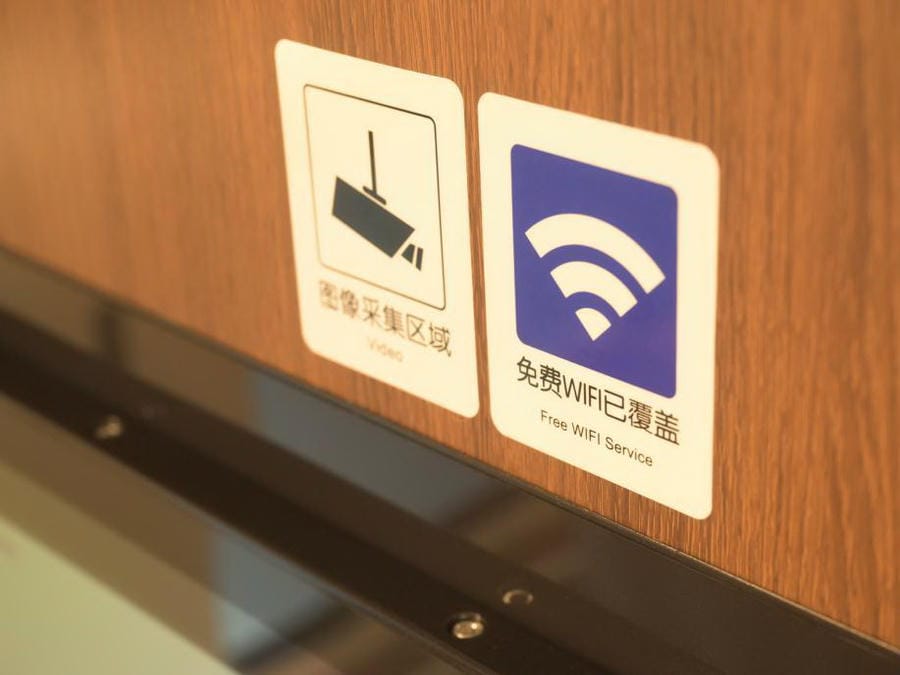
Free Wi-Fi in China can help travelers at hotels, airports, malls, cafes and exhibition venues, but it should not be your main internet plan. For most foreign visitors, Wi-Fi is a useful backup; mobile data through a China eSIM, roaming or local SIM is still the safer setup.
For the full internet setup overview, start with our China eSIM and internet guide: China eSIM and internet guide
Free Wi-Fi in China: the short answer
Use free Wi-Fi in China for:
- hotel planning;
- large downloads;
- backup connection;
- airport waiting time;
- checking email in a controlled place;
- exhibition venue support.
Do not rely on free Wi-Fi for:
- airport-to-hotel transport;
- mobile payments;
- maps while walking;
- ride-hailing;
- restaurant QR ordering;
- real-time translation;
- emergency communication.
Where travelers may find Wi-Fi in China
Common places include:
- hotels;
- airports;
- railway stations;
- cafes;
- shopping malls;
- restaurants;
- coworking spaces;
- exhibition venues;
- some tourist attractions.
Availability and login requirements vary by location.
Why Wi-Fi is not enough
Travel in China is mobile-first. You often need internet while moving, not only when sitting in a hotel lobby.
You may need mobile data to:
- open Alipay or WeChat Pay;
- scan a restaurant QR code;
- call a ride;
- find the correct metro exit;
- translate a sign;
- show your hotel address;
- contact a driver;
- check a train platform or flight update.
If your only plan is Wi-Fi, you may be disconnected at the exact moment you need help.
Airport Wi-Fi in China
Many major airports offer Wi-Fi, but it should not be your only arrival plan.
Possible issues:
- login may require SMS;
- foreign phone numbers may not always receive verification smoothly;
- speed can vary;
- connection may drop when you move between areas;
- app access may still be limited;
- you may not have Wi-Fi after leaving the terminal.
Before leaving the airport, make sure your mobile data works.
Internet backup plan: China internet backup plan
Hotel Wi-Fi in China
Hotel Wi-Fi is useful, but it does not solve outside travel.
Use hotel Wi-Fi to:
- download offline maps or translation packs;
- review the next day’s itinerary;
- back up photos;
- update apps;
- check email;
- plan transport.
But do not assume hotel Wi-Fi will support every overseas app or work tool. Business travelers should test work systems early.
VPN/app access guide: VPN and app access in China
Cafe and mall Wi-Fi
Cafes and malls may offer Wi-Fi, but login can be inconsistent.
You may need:
- phone number verification;
- WeChat login;
- local terms acceptance;
- staff assistance;
- repeated reconnection.
This is fine for backup, not for time-sensitive travel tasks.
Wi-Fi at Canton Fair and exhibitions
Large exhibition venues may offer Wi-Fi, but demand can be high. Speeds and stability may vary during busy periods.
Canton Fair visitors should not rely only on venue Wi-Fi for:
- supplier communication;
- map navigation;
- payments;
- ride-hailing;
- video calls;
- cloud files;
- translation.
A China eSIM or roaming plan is still recommended.
Public Wi-Fi safety basics
Use normal public Wi-Fi precautions:
- avoid sensitive banking on unknown networks;
- use HTTPS websites;
- avoid unknown login portals;
- keep your device updated;
- do not install random profiles or certificates;
- turn off auto-join for unknown networks;
- use mobile data for sensitive tasks when possible.
This is practical safety guidance, not cybersecurity advice.
Better setup than Wi-Fi only
For most visitors:
- China eSIM as main data.
- Home SIM active for SMS.
- Roaming as backup if affordable.
- Hotel and airport Wi-Fi as backup.
- Offline hotel address, translation and screenshots.
China eSIM guide: China eSIM guide
When Wi-Fi only might be acceptable
Wi-Fi-only may be acceptable if:
- you are on a very short airport layover and staying airside;
- you have no plan to use mobile payments, taxis or city navigation;
- your hotel or host handles transport;
- you are traveling with someone who has mobile data;
- you accept the risk of being offline outside Wi-Fi zones.
For most first-time visitors, this is not ideal.
Common mistakes
Do not assume every airport Wi-Fi works with a foreign number.
Do not rely on hotel Wi-Fi for taxi or metro navigation.
Do not wait until arrival to download maps, payment apps or eSIM apps.
Do not assume public Wi-Fi gives access to every overseas app.
Do not ignore mobile data just to save a small amount of money.
Do not depend on exhibition venue Wi-Fi for business-critical work.
How to prepare before arrival
Internet preparation should happen before the flight. Install the apps you need, download offline details where possible, test your eSIM or roaming instructions, and save hotel addresses in both English and Chinese. Once you are already in China, app stores, verification codes and blocked services can make simple fixes harder.
Your main question is not only whether you can get online. It is whether you can receive SMS codes, open maps, translate addresses, pay, message your hotel and recover if one method fails. A working plan normally includes mobile data, hotel Wi-Fi and a fallback for key apps.
If your trip depends on work tools, banking apps or messaging services, test them from a travel network before departure and keep a second device or backup connection available for important travel days.
Internet source note
Internet access advice depends on your device, roaming plan, app needs and carrier restrictions. Treat this guide as a preparation checklist, then confirm the current details with your mobile carrier, eSIM provider, VPN provider and the official app support pages before you leave.
The practical rule is to set up access before arrival, keep a backup connection option, and avoid waiting until you are in China to discover that an app, verification code or payment flow needs a connection you do not yet have.
External checks before you travel
For internet setup, compare this guide with your own carrier’s roaming page and provider support before departure. Useful starting points include China Mobile International for roaming/network context and China Unicom CUniq for travel SIM/eSIM-style products. Provider terms change, so use those pages to verify coverage, device compatibility and support before purchase.
FAQ
Is free Wi-Fi available in China?
Yes, travelers can often find Wi-Fi at hotels, airports, cafes, malls and major venues, but availability and login requirements vary.
Is free Wi-Fi in China enough for tourists?
Not for most visitors. Mobile data is safer for maps, payments, taxis, translation and emergencies.
Does airport Wi-Fi in China require SMS?
Some Wi-Fi portals may require phone verification or other login steps. Do not rely on airport Wi-Fi as your only arrival plan.
Can I use hotel Wi-Fi for Google or WhatsApp?
Some overseas apps may not work normally from mainland China even on Wi-Fi. Prepare app alternatives before arrival.
What is a better plan than Wi-Fi only?
Use a China eSIM, roaming or local SIM for mobile data, and keep Wi-Fi as backup.
Last reviewed
Last reviewed: 2026-07-05